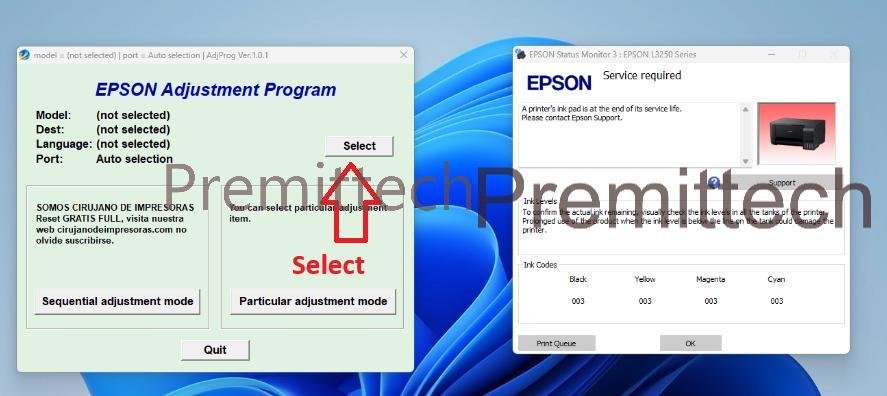
The Epson L3250 is a popular ink tank printer widely used for home and small office setups however after extended use many users encounter a common issue – the printer suddenly stops printing , and the power button stable and double red light blinking continuously The most common cause in this post Iam talking about how to reset epson printer l3250 problem (service required or a printer’s ink pad is at the end of its service life)
this guide explains how to fix the Epson L3250 ink pad reset error using the Epson L3250 Adjustment Program (Resetter & safely and easily)
What is the Epson L3250 Service Required Error ?
The message usually appears as :
A’ printer’s ink pad is at the end of its service life . please contact epson support
This happens because the printer stores waste ink inside an internal ink pad when the waste ink counter reaches its limit , Epson printer automatically blocks printing to prevent overflow.
Symptoms
- Printer power light stable
- Ink & paper light blinking together
- Printer not printing and when you try to print then error message show Epson Service Required
- Printer turn off after that turn on printer head no movement Suppose that Printer Head Lock
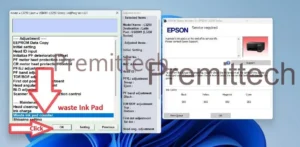
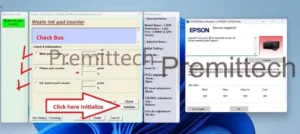
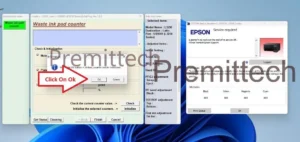
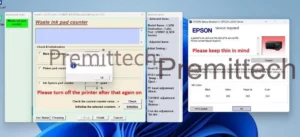
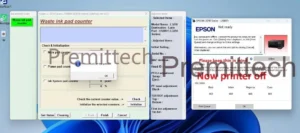
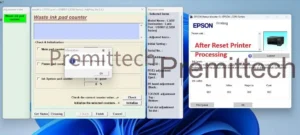
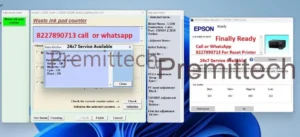
How to Reset Epson L3250
- Download the software from my site Premittech
- Extract the Zip file
- Run Premittech.exe
- Copy hardware id & share me on whatsapp 8227890713 (24×7 Service Available)
- After payment of ₹130 I will provide your activation key instantly
- Delivery : Instant after payment
Click Here To Download Software
If you unable to reset own epson printer then you can contact me I will provide you Reset Printer Service Remote support Service 24×7 Available Please whatsapp or call 8227890713 (If number is busy or not reachable the whatsapp sms)
Remote Support Service 24×7 From COMPUTER
Hi guys my name is prem I’m an Epson Printer Engineer from Buxar , Bihar provide offline printer repair and online Epson printer reset services. If you need help
While resetting your Epson printer or face any issue during the reset process I’m here to assist you
Independent technical guidance is available 24×7 via Call or Whatsapp 8227890713
Epson Printer Reset Help Video Call
If you unable to provide remote access, then whatsap video call support is available
I will guide You personally step – by – step untill your Epson printer reset is completed

Thank you so much good guidance & support my problem solved
Iam so glad to you
thanks a million my problem solution
premittech best service provider
one of the best service thank you my problem solved